ViewMeal
University Project - Human-Computer Interaction

Overview
ViewMeal is a mobile app concept designed to make diet tracking effortless. Instead of manually searching and logging every meal, users simply take a photo of their food and the app identifies it, extracts the nutritional information, and records it automatically. The project was developed as part of a Human-Computer Interaction course at the Chinese University of Hong Kong.
Motivation
I started going to the gym during university and quickly ran into the same frustration that most people who track their diet face: manually calculating and logging calories for every meal is tedious enough that most people stop doing it within weeks. I wanted to design a solution to that problem for myself, which gave me a clear and genuine user to design for from the start.
Problems to Solve
Three core problems shaped the design direction. Manual nutrition lookup takes time and effort for every single meal. Without variety in food choices, people lose motivation and abandon their diet plans. And long-term daily recording is repetitive enough that most users give up before seeing results.
Design Process
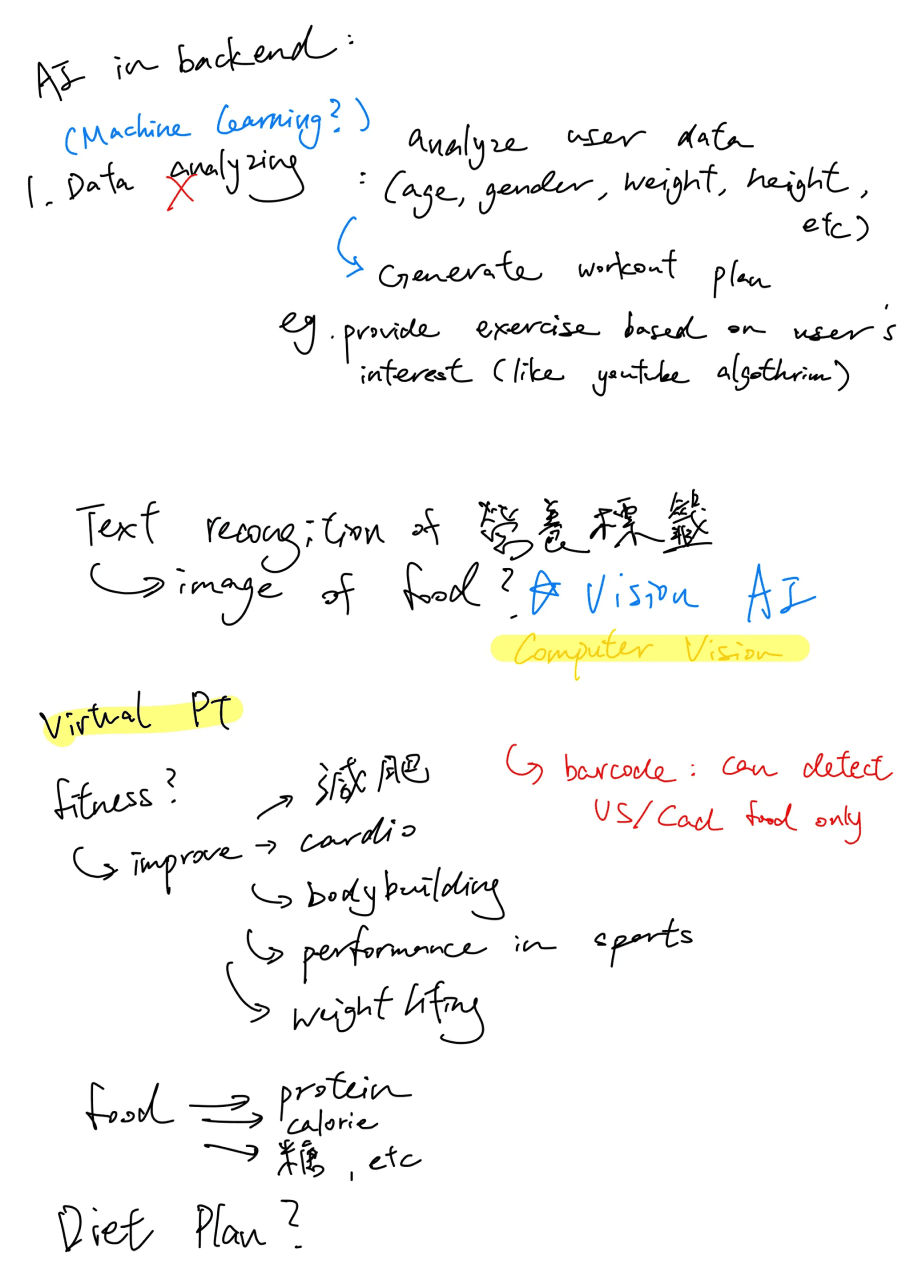
Before committing to the camera-based approach, I evaluated two technical options: barcode scanning and computer vision. Barcode scanning was rejected early because its food database is largely limited to packaged products from the US and Canada, making it unreliable for Asian cuisines and home-cooked meals. Computer vision was the right fit for the problem.
 | 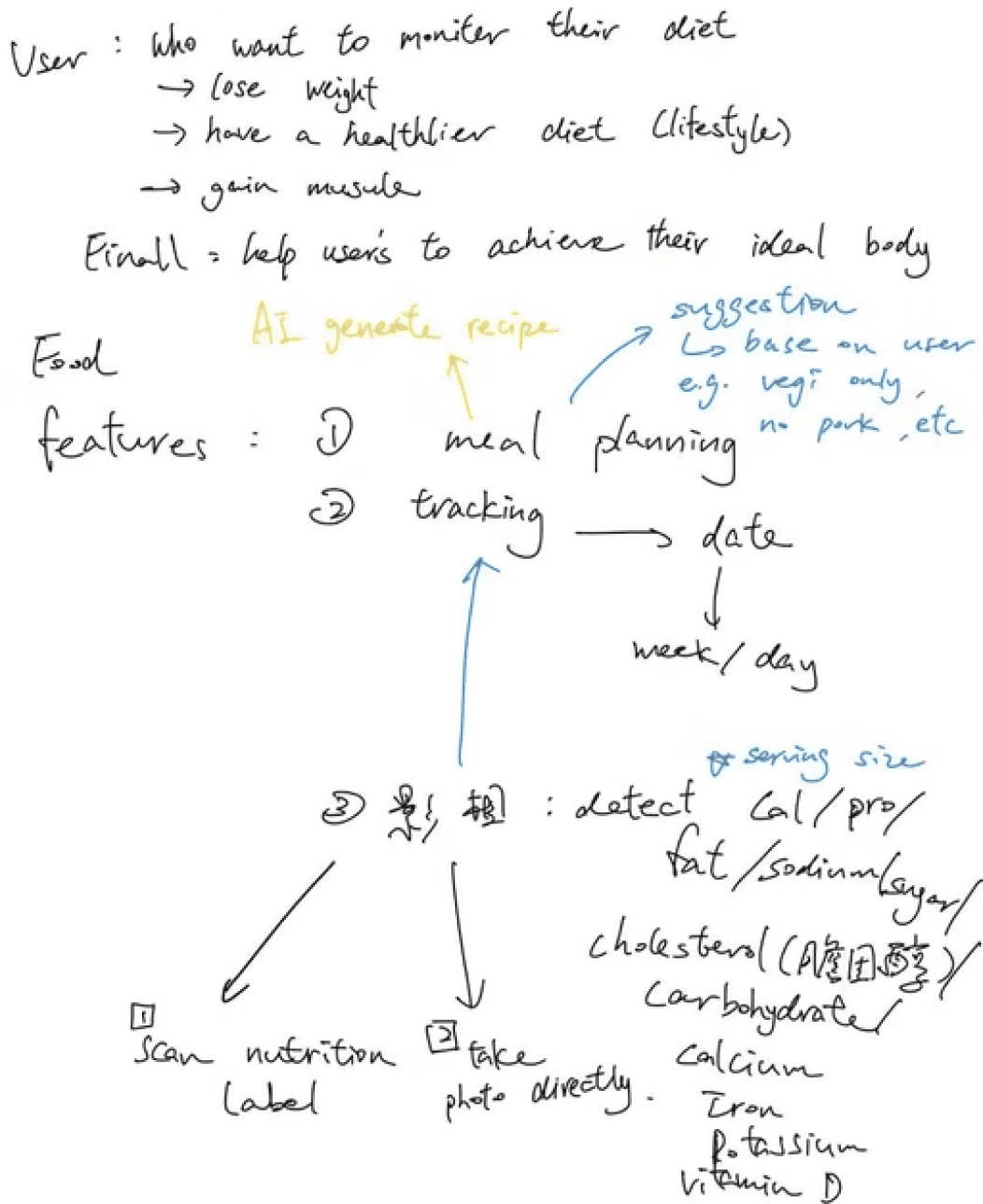 |
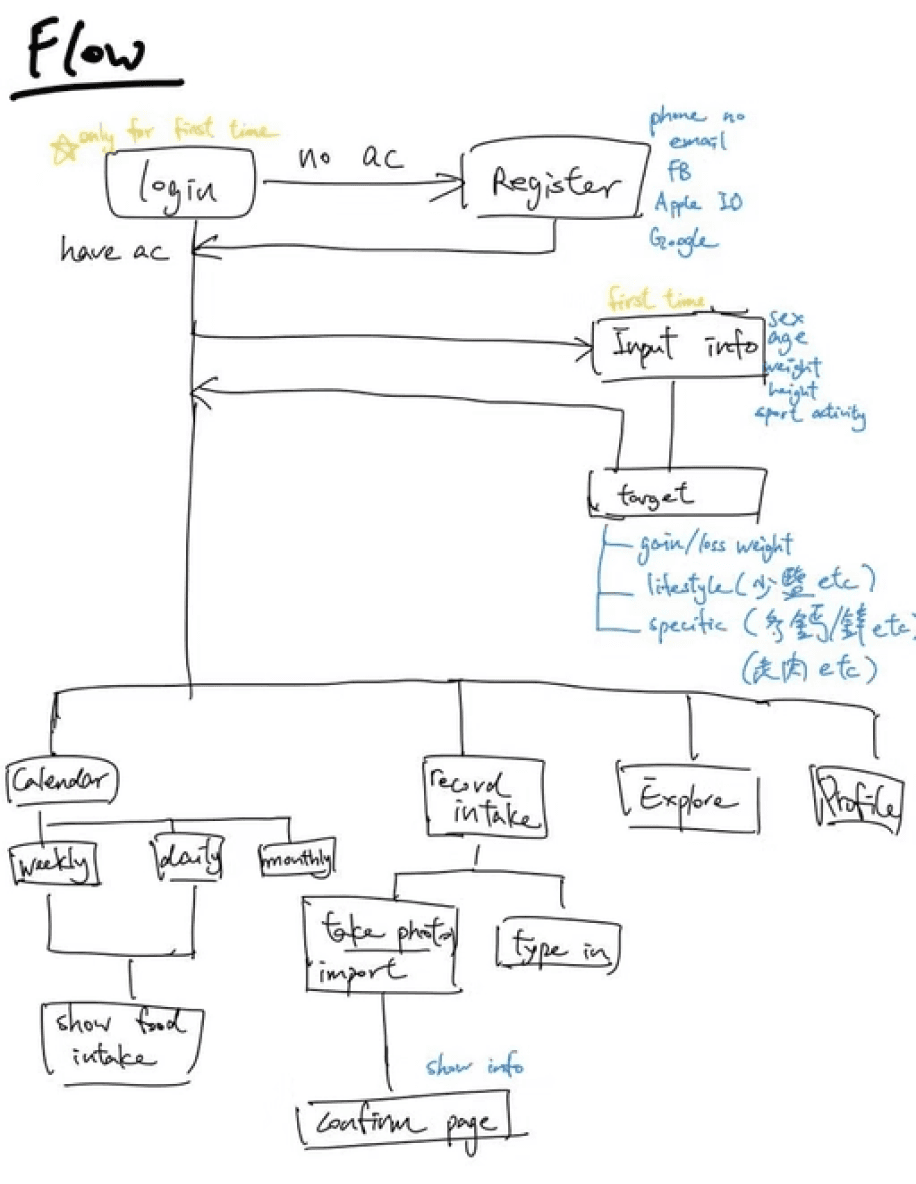
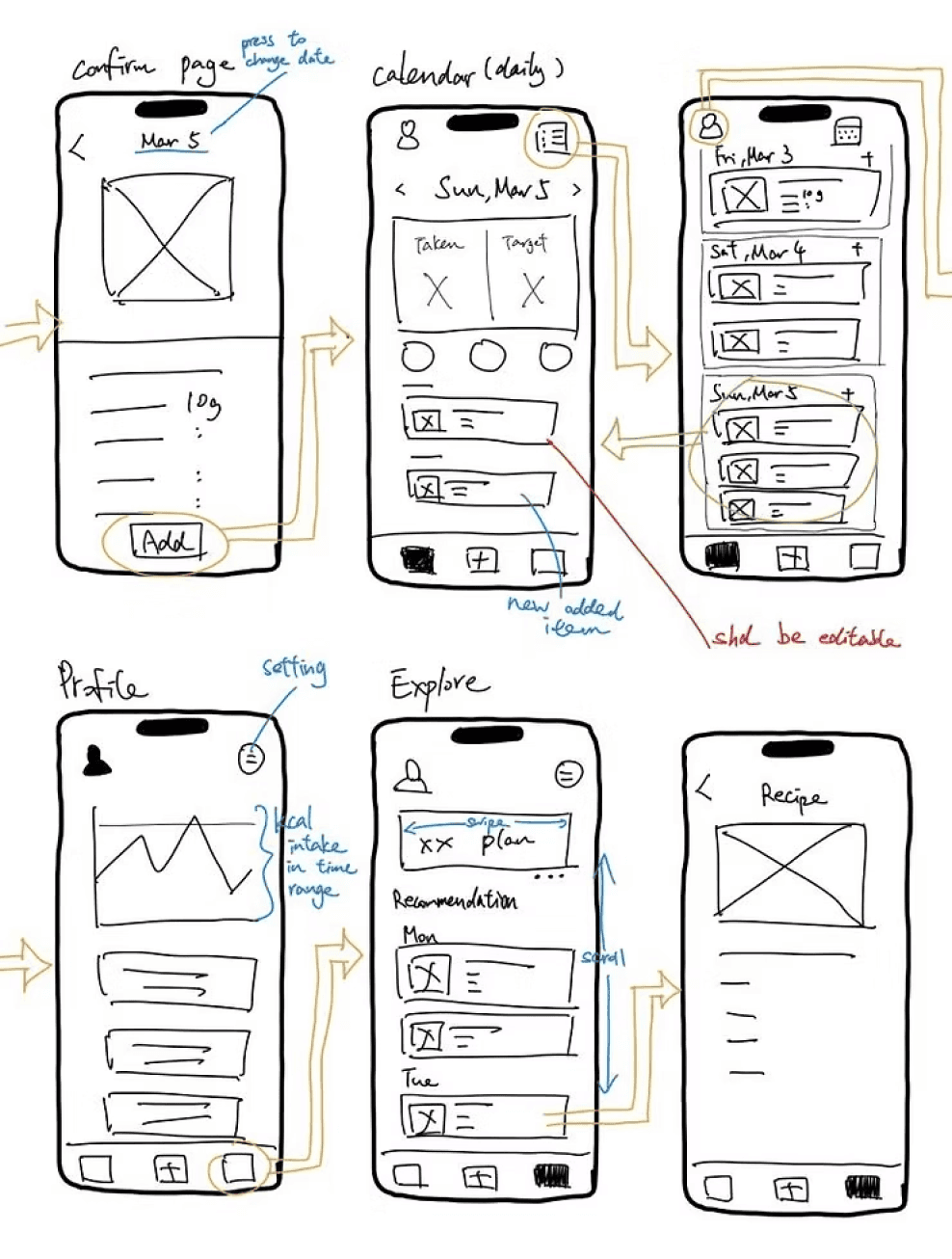
From there I mapped out the full user flow: onboarding with body stats and goals, daily home view with calorie summary, food scanning and confirmation, and an explore section for recipe recommendations.
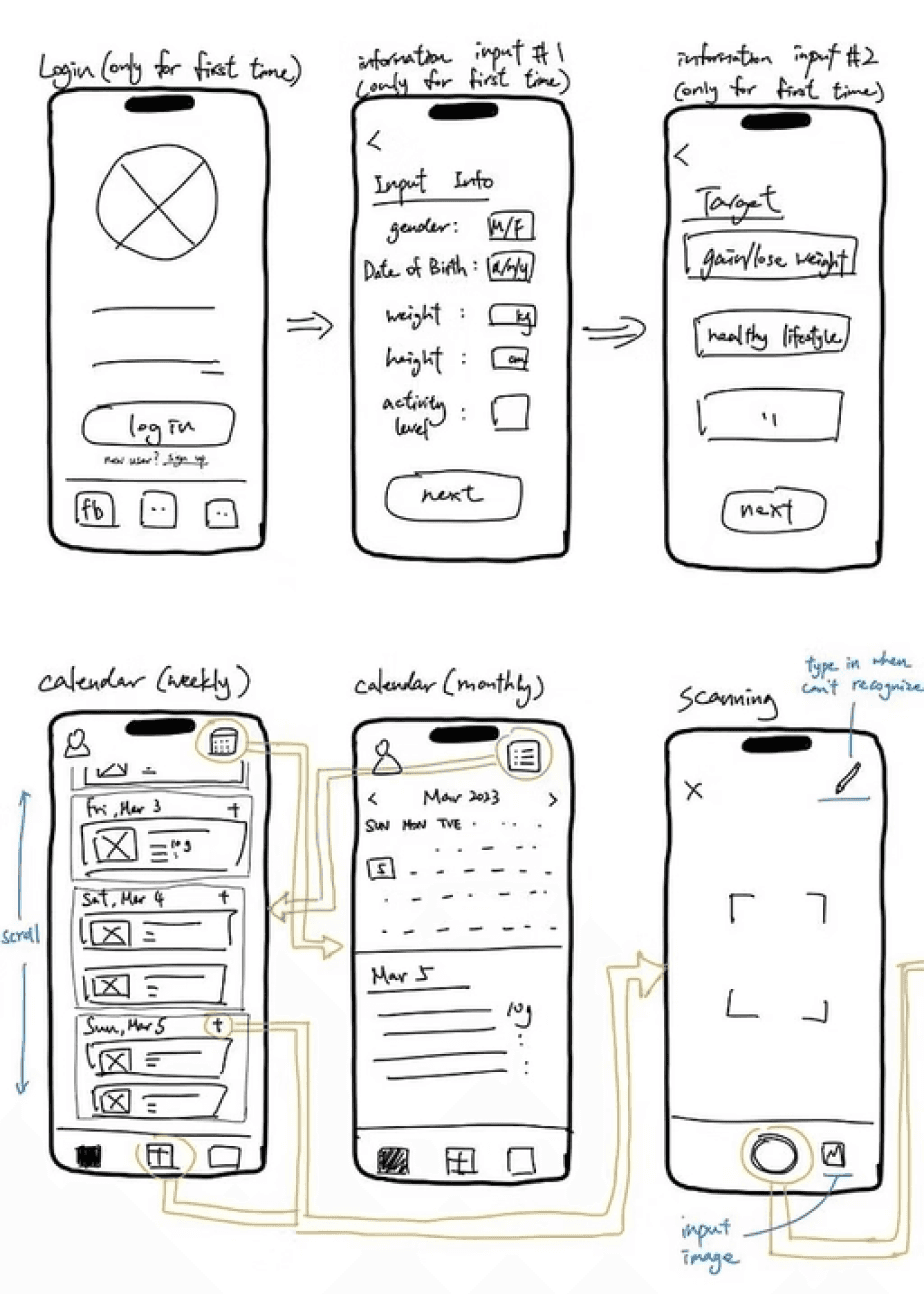
Wireframes were sketched screen by screen before moving to Figma, covering the core journeys of logging a meal, reviewing daily intake, and browsing meal plans.
 |  |
Peer Review and Iteration
After completing the initial low-fidelity design, the project went through a peer review. Three issues were flagged:
The app lacked sufficient accessibility support for older users
Users had no way to edit nutrient values if the scan was inaccurate manually
No feedback mechanism to confirm actions.
The app lacked sufficient accessibility support for older users |
Users had no way to edit nutrient values if the scan was inaccurate manually |
No feedback mechanism to confirm actions. |
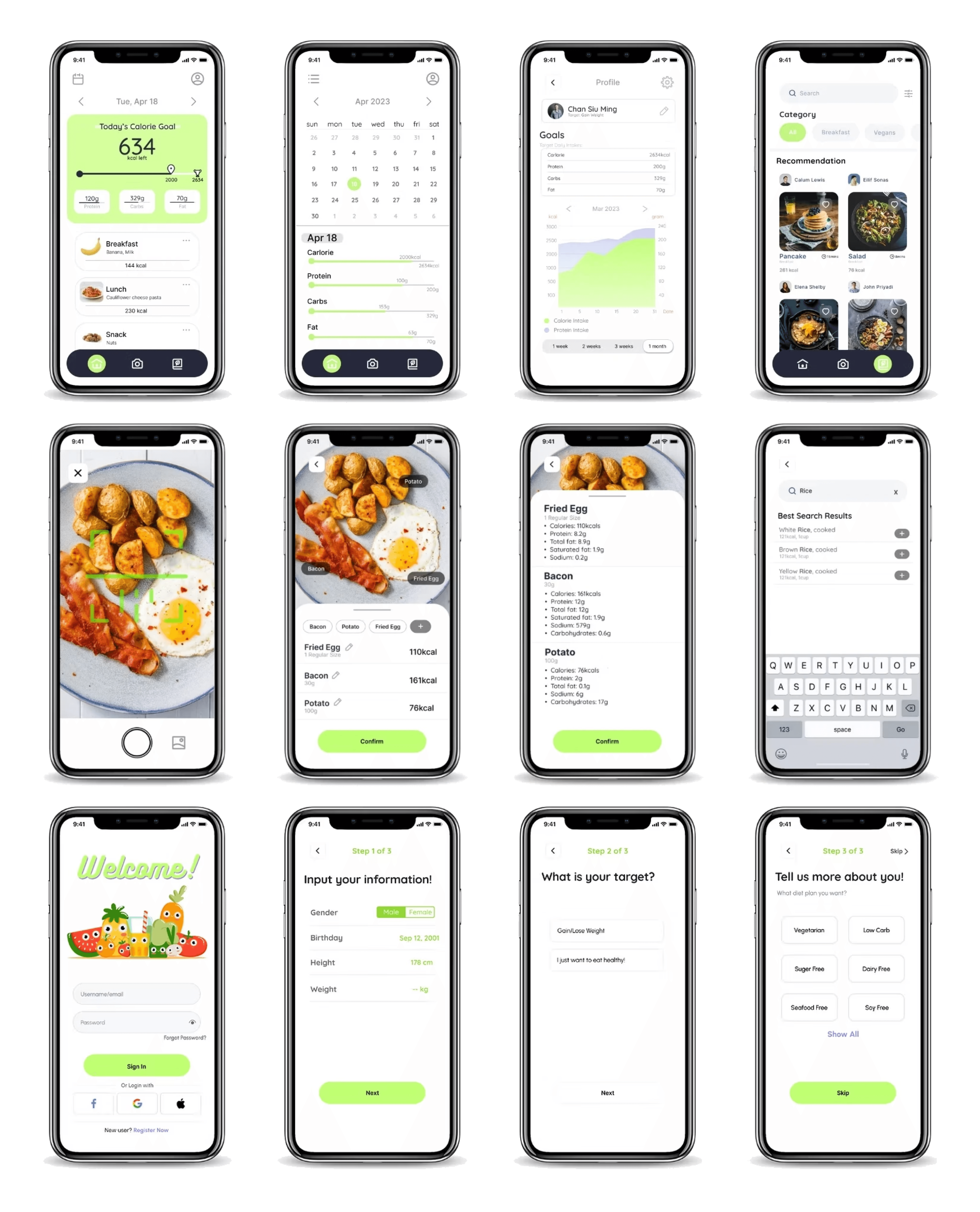
All three were addressed in the high-fidelity version.
High-Fidelity Design
Reflection
This was a solo project with no real user testing beyond the peer review. If I were doing it again, I would validate the camera recognition accuracy with actual users early — the whole concept depends on that feature working reliably, and I never tested whether users trusted the scan results or felt the need to manually correct them often. That gap between assumed behaviour and real behaviour is something I became much more conscious of in later projects.